Introduction to XAPK Installer APK
XAPK Installer is an Android utility app developed by Wuliang Dev, first released on June 15, 2019, for Android devices. Designed to simplify the installation of APK and XAPK files, this lightweight tool stands out for its one-tap install process, automatic file scanning, and seamless handling of OBB data required for large apps and games. With fast performance, a user-friendly interface, and ongoing compatibility updates for newer Android versions, it has become a practical choice for users who frequently manage app installation files outside traditional methods. If you’re looking for a reliable way to install APK and XAPK files on Android, this app offers a straightforward solution worth trying.
All features of XAPK Installer APK
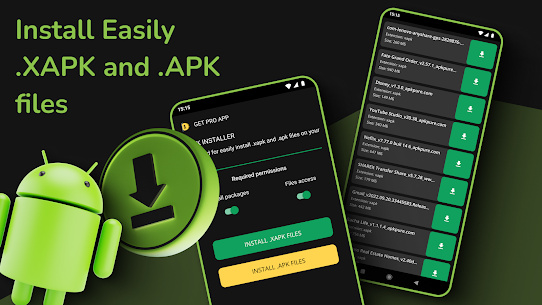
- Seamless APK & XAPK Installation: The core functionality of XAPK Installer is its ability to install both APK and XAPK files effortlessly. Users no longer need to manually extract archives or move files into specific directories. The app handles everything in the background.
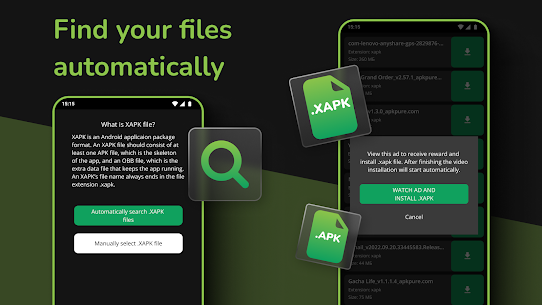
- Smart File Scanning: One of its standout features is automatic scanning. Once installed, the app searches your device storage and lists all compatible APK and XAPK files. This saves time and ensures you don’t miss any installable files.
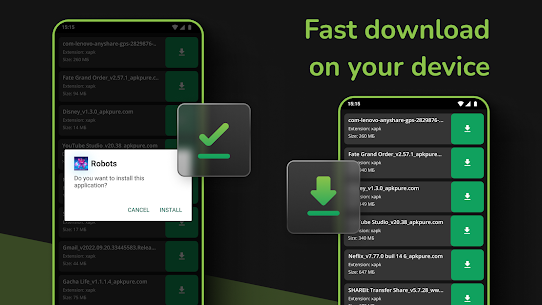
- One-Tap Install Process: The app simplifies installation into a single tap. Whether it’s a lightweight app or a large game with additional data, users can install everything quickly without navigating complex file systems.
- Automatic OBB File Placement: For games that require extra data, XAPK Installer automatically extracts and places OBB files into the correct Android directory. This eliminates one of the most confusing parts of manual installation.
- Clean File Management: The interface organizes detected files neatly, allowing users to view, sort, and manage installation packages. This is especially useful for users who frequently download multiple apps.
- Real-Time Progress Tracking: During installation, users can see detailed progress updates. This transparency helps avoid confusion and ensures users know exactly what’s happening at each step.
- Lightweight and Fast: Despite its powerful functionality, the app remains lightweight (under 10 MB). It runs smoothly on most Android devices, including older models.
How to Install XAPK Files Using XAPK Installer APK
Step 1: Download the XAPK file to your device
- Use Chrome or any browser to download the .xapk file
- It will usually be saved in: My Files / File Manager → Download folder
- Make sure the file is fully downloaded (no
.partial or broken file)
Step 2: Install and open XAPK Installer
- Install XAPK Installer and open it
- When prompted, tap Allow for storage/media access
This permission is required so the app can scan and detect XAPK files
Step 3: Enable “Install unknown apps” permission
If you haven’t enabled this before:
- Go to Settings → Apps → Special app access → Install unknown apps
- Select XAPK Installer
- Toggle Allow from this source ON
This allows the app to install files outside Google Play
Step 4: Scan and locate your XAPK file
- Return to XAPK Installer
- Tap Scan (or refresh icon if needed)
- Your XAPK file should appear in the list
- If not found:
- Tap Manual select
- Navigate to Download folder and choose the file
Step 5: Install the XAPK file
- Tap Install next to your file
- The app will automatically:
- Extract the XAPK package
- Install the APK
- Move OBB/data files to:
Android → OBB → (app folder)
Do not close the app during this process
Step 6: Launch the app after installation
- Once completed, tap Open
- Or go to your home screen/app drawer and launch it manually
If the app doesn’t open:
- Restart your device
- Check if all files were installed correctly
Disadvantages and Limitations of XAPK Installer APK
While XAPK Installer is a convenient tool, it does come with several limitations that users should understand before relying on it regularly:
- Security risks from external files: Since XAPK files are typically downloaded from third-party sources, they are not verified by Google Play. This increases the risk of malware or unsafe content if the source is unreliable
- Sideloading can expose devices to vulnerabilities: Installing apps outside official stores can make devices more vulnerable, especially if users are unfamiliar with safe installation practices
- Limited platform support: The app only works on Android devices and cannot be used on iOS or desktop systems, limiting its usability across platforms
- No bypass of system or app restrictions: XAPK Installer only assists with installation and cannot override restrictions built into apps or Android security policies
- Compatibility depends on device and Android version: Some installations may fail due to differences in Android versions, storage permissions, or hardware limitations
- Requires storage permissions: To function properly, the app needs access to device storage, which may raise privacy concerns for some users
- Not always reliable with complex packages: While it supports many formats, more advanced app bundles or split APK configurations may not always install smoothly compared to specialized tools
Conclusion
Overall, XAPK Installer stands out as a practical and efficient tool for managing APK and XAPK installations. Its combination of automation, speed, and ease of use makes it a helpful option for users who install apps outside traditional methods. If you’re looking for a simple way to install complex Android app packages, this tool delivers what you need. Try XAPK Installer and simplify your Android app installation process.
FAQs
1. Does XAPK Installer support split APK files?
Yes, newer versions support split APK installations, improving compatibility with modern apps.
2. Is there a built-in file manager?
It includes basic file organization features to help manage APK/XAPK files efficiently.
3. Does XAPK Installer work offline?
Yes, you can install files offline as long as they are already downloaded on your device.
4. Do I need to root my device?
No, the app works on non-rooted devices without any special permissions.
5. Why can’t I install some files?
This may happen due to incompatible Android versions or corrupted files.