Rhythm-Based Gameplay
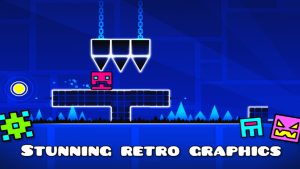
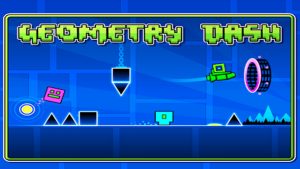
At its core, Geometry Dash revolves around precise timing. Every jump, movement, and transformation is synchronized with the soundtrack, turning each level into a rhythmic experience. Players gradually learn patterns by combining what they see with what they hear, creating a tight loop of trial, memory, and musical flow. The controls are simple just one touch but the challenge comes from fast reactions and perfectly timed inputs. Levels are designed to match the beat, making rhythm just as important as skill.
Multiple Game Modes
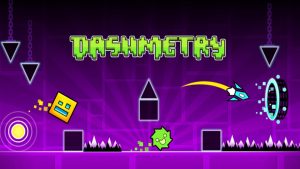
Gameplay evolves through different forms, each offering a unique mechanic:
- Cube: Standard jumping
- Ship: Free flight control
- Ball: Gravity switching
- Wave: Zig-zag movement
- UFO: Bounce-based control
- Spider: Instant teleport flips
These transformations occur mid-level, adding complexity and variety.
Advanced Level Editor
One of the game’s standout features is its powerful level editor. Players can build custom levels from scratch, adding effects, triggers, and animations to create unique experiences. The editor also allows precise synchronization with music, giving creators full control over timing and atmosphere. With the ability to share levels globally, this system has led to millions of community-made creations, providing an almost endless stream of new content.
Online Community & Content
Geometry Dash is supported by a highly active online community. Players can browse and play user-generated levels, take on daily and weekly challenges, and compete on global leaderboards.
Latest Geometry Dash APK 2.208 Update: What’s New and Improved?
New Gameplay Improvements
Click Between Frames: One of the most important additions in Geometry Dash 2.208 is the Click Between Frames feature. This system improves how the game registers inputs, allowing actions to occur between rendered frames rather than being locked strictly to frame timing. From a gameplay perspective, this means:
- More accurate jump timing
- Smoother control responsiveness
- Reduced input delay in difficult sections
For advanced players tackling high-difficulty levels, this change directly raises the skill ceiling. Timing-based challenges now feel more consistent, especially in fast-paced sequences.
New Content Added in 2.208
New Gauntlets: Gauntlets collections of curated levels—have been expanded in this update. These structured challenges guide players through themed content, offering rewards upon completion. The addition of new Gauntlets provides:
- Fresh progression paths
- More structured gameplay compared to random level browsing
- Incentives for returning players
Expanded Leaderboards: The leaderboard system has been upgraded to include more categories, such as:
This change strengthens the competitive side of Geometry Dash. Instead of focusing only on general progression, players can now track performance across specific achievements. From what I’ve observed, this encourages long-term engagement, especially among players aiming to rank globally.
Level Editor Improvements
New Trace System: The level editor—already one of Geometry Dash’s strongest features—receives a meaningful upgrade with the trace system. This tool allows creators to:
- Visualize object movement paths
- Design more precise mechanics
- Improve synchronization with music
For creators, this is a major quality-of-life improvement. Designing complex levels becomes more intuitive and efficient.
Creator Experience Enhancements: Beyond the trace system, several smaller updates refine the editor workflow:
- Improved object handling
- Better performance when editing large levels
- Enhanced usability for advanced triggers
These updates reinforce Geometry Dash’s position as not just a game, but a creative platform.
How 2.208 Affects Players
- Casual Players: For casual users, the update introduces more content and smoother gameplay. The new Gauntlets and improved performance make it easier to enjoy the game without frustration.
- Advanced Players: High-level players benefit the most from the precision input system. The Click Between Frames feature enhances control accuracy, which is crucial for completing difficult levels.
- Creators: Level creators gain better tools and improved workflow efficiency. The editor updates make it easier to design complex, polished levels that stand out in the community.
Geometry Dash APK 2.208: Pros and Cons of the Latest Update
Pros
- Improved input precision (gameplay mechanics)
The addition of Click Between Frames significantly enhances timing accuracy, making jumps feel more responsive and consistent especially in fast or complex levels.
- Better competitive tracking (features)
New leaderboards for Moons, Demons, and User Coins add more depth to progression and competition, giving players clearer goals beyond just stars.
- More structured content (gameplay experience)
The introduction of new Gauntlets provides curated challenges, helping players discover quality levels instead of relying only on random browsing.
- Enhanced level creation tools (interface & editor)
The trace system improves how creators visualize object interactions, making level design more precise and efficient.
Cons
- Higher difficulty ceiling (difficulty-related)
Increased input precision may unintentionally make high-level gameplay more demanding, as mistakes become more noticeable and timing expectations are stricter.
- Steeper learning curve for new players (difficulty-related)
Beginners may struggle to adapt to tighter timing windows, especially in harder levels where precision is critical.
- Subtle interface changes (UI/UX)
Some additions, like new social profile options or minor UI tweaks, may feel less impactful for players focused purely on gameplay.
Useful Tips to Play Geometry Dash APK Smarter
If you want to improve faster in Geometry Dash, playing “more” isn’t enough—you need to play smarter. Here are practical, proven tips based on gameplay guides and experienced player strategies:
1. Use Practice Mode Strategically
Practice Mode isn’t just for beginners—it’s essential at all levels. Place checkpoints at difficult sections and repeat them until your timing becomes automatic. This helps build both muscle memory and pattern recognition.
Example: If you keep failing at 70%, practice only that section repeatedly instead of restarting the whole level.
2. Learn the Music, Not Just the Obstacles
Geometry Dash relies heavily on rhythm. Instead of reacting visually, try to sync your jumps with the beat. This reduces hesitation and improves consistency.
Example: In fast levels, tapping in rhythm often works better than watching every spike.
3. Master Each Game Mode Separately
Each form (cube, ship, wave, etc.) behaves differently, so focus on mastering them individually. Understanding their mechanics helps you adapt quickly when switching mid-level.
Example: Practice ship control by tapping lightly instead of holding, which helps maintain stable flight.
4. Break Levels Into Sections
Instead of trying to beat a level from start to finish, divide it into parts and master each segment. Many experienced players complete levels by first doing partial runs (e.g., 30–100%) before attempting a full run.
5. Don’t Spam—Time Your Inputs
One of the most common mistakes is tapping too much. In sections with jump orbs or tight timing, precision matters more than speed.
Example: When hitting multiple orbs in a row, tap once per orb instead of spamming, or you’ll mistime the jumps.
6. Start With Official Levels First
Official levels are designed to teach core mechanics step by step. Completing them builds a strong foundation before moving to harder community levels.
Final Thoughts
Geometry Dash remains one of the most engaging and rewarding mobile games ever created. Its mix of rhythm, precision, and creativity helps it stand out even years after release, offering players a consistent challenge. If you’re ready to experience updated features and test your skills in this rhythm-based platformer, now is a great time to jump in. Play Geometry Dash on Android and explore new challenges, refined mechanics, and a constantly growing library of levels.
FAQs
1. What are leaderboards used for?
Leaderboards track player achievements like stars, demons, coins, and other stats globally.
2. Can I play Geometry Dash offline?
Yes, official levels can be played offline, but online features require internet access.
3. Is Geometry Dash suitable for beginners?
Yes, but it becomes progressively more challenging as difficulty increases.
4. How often does Geometry Dash get updates?
Updates are released periodically, often focusing on improvements and new features.
5. What makes Geometry Dash unique?
Its combination of rhythm-based gameplay, high difficulty, and user-generated content sets it apart.